Category: Technology Publisher: Columbia County PC Incorporated
Type: Non-Fiction
Pages: 140
Copyright: July 1, 2010
ISBN-13: 9780984453610
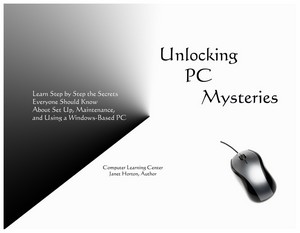
Through Unlocking PC Mysteries you now have the step-by-step processes for setting up, restoring, maintaining and
using your PC. You now have your hard copy manual. Get to know your system, customize it, and enjoy.
When it comes to computers, misery does not love company. Users become completely irrational and illogical when their system goes wrong. The only thing they know is they want it fixed.
Anyone can buy, turn on a computer and at some level, and use the system. Almost instinctively you start looking for a manual. We have been conditioned to “read manual or instructions before turning on”. However, with your computer you probably did not get a hard copy manual.
The seed of panic begins. You know something is not right but you cannot quite put your finger on the problem. Certain tasks are frustrating or you cannot find features. Using it seems cumbersome, it is getting slow and you keep getting these pop-up or error messages.
What is a person to do?
For 20 years I listened and got the message. I traveled the country, actually a good part of the world, and we talked about computers and I worked on your systems. Consistently I heard you “did not want to read manuals” would “follow a list”, and “needed a basic understanding”.
But guess what? There was no one source for you. Even a computer geek, every now and then, has to tread water. I decided to share with you what I have shared with my clients at the Computer Learning Center, through the membership in the Computer Club, and with attendees at lectures.
This is actually four book in one - for the price of one.
Excerpt
7. System specifications
All the paperwork concerning the system and the software installed, as well as the peripheral equipment, should be kept together. Belarc Advisor is a small program available from the Internet. Belarc is excellent for tracking and recording all hardware, software, and licenses pertinent to your system.
Recording the amount of RAM installed on your system is especially important when determining compatibility with software or hardware. For example, if you have a system with 2GBs of RAM installed, but it is shared RAM, then you probably only have 1.5GBs of RAM available for your use and for use by software installed on your system. If you want to install software that requires the availability of 2GBs of RAM, then your system is not compatible and does not meet the required specifications.
It is also an excellent idea to keep a journal next to your computer. Record in the journal when maintenance is performed, programs installed or uninstalled, when and what is downloaded, and any error messages displayed. You will be surprised how often you make changes to your system. The information will also be beneficial for troubleshooting problems.
Watch the usage of your hard drive. Never let the space available get to be less than 25 percent.
Complete Troubleshooting & Repairing guide to hot air furnaces * Complete operation, maintenance, and repair * Covers gas, oil, and electric forced air systems * Includes flowcharts and highlighted tips and solutions to common furnace problems
Complete Troubleshooting & Repairing guide to hot air furnaces * Complete operation, maintenance, and repair * Covers gas, oil, and electric forced air systems * Includes flowcharts and highlighted tips and solutions to common furnace problems