You and me both, Becca, by the sound of it... I can't seem to resize in my photo package - i.e., not that I can work it out, anyhow?? Why are these things so complex? I therefore take the easy option - give up and find one that fits! As for posting, now you are Gold you can do that in the Add/Edit Works dialogue box... but hey!!! You must have worked that out already!! Quick, aren't I? And, my you are cute!!! You're right... God don't create junk!! I will be with you in heart, soul and prayer tomorrow, but don't be afraid. Having come through so much already, guess you know that fear has no place in healing. Bless you and thanks for keeping me posted. You are an absolute wonder. LOL Kate xx
Hi Rebecca, First I'll deal with resizing your pic, it's easy enough if you have Abode photoshop software or something similar; open your photo software, click the image tab, on the drop down menu click resize, a box will appear with width and height etc. basically do your stuff(resize) then save as...you can also convert your image to jpeg in the save as mode, remeber AD only accepts Gif & Jpeg images. (you don't need to do this if it is already one of those)
When you post your poem it will show you your poem on your add poetry page, next to the title you will see a paper clip, a pic box, and a view page icon click on the pic box, a box will appear click the browse button and add your pic. Hey Voila!
I hope this has been of use to you please feel free to drop me a line if you get stuck.
Paul;-)
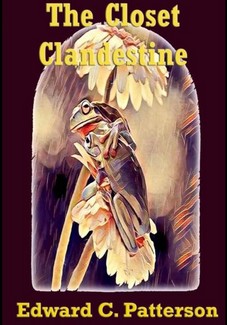
Using Calgary as a backdrop the author satirizes the self-serving nature of the public as it continues to fatten itself, not only physically, but egotistically as well.


 Share
Share Print
Print Save
Save Follow


When you post your poem it will show you your poem on your add poetry page, next to the title you will see a paper clip, a pic box, and a view page icon click on the pic box, a box will appear click the browse button and add your pic. Hey Voila!
I hope this has been of use to you please feel free to drop me a line if you get stuck.
Paul;-)